The flow of your business, under your control
The first step toward the efficiency and optimization you pursue in your company's goals begins with the right strategy and direction. Choosing the right tools can be an essential turning point for the exponential leap you are seeking in your business's growth and, more importantly, for helping you sustain it over time.
With Kauda you will digitize and automate processes, have support until your system is fully in place, bring AI into steps that currently take up a great deal of your time, and gain traceability, analysis, metric calculations, alerts on price changes and pending payments, real-time centralized control of your expenses, and more…
Find out whether Kauda is the tool you need
Kauda is not an ERP, nor does it replace your point of sale: it is an everyday tool, simpler and customizable, because it is built from your own catalogs and its job is precisely to connect, within each module, the processes that kept falling outside those systems.
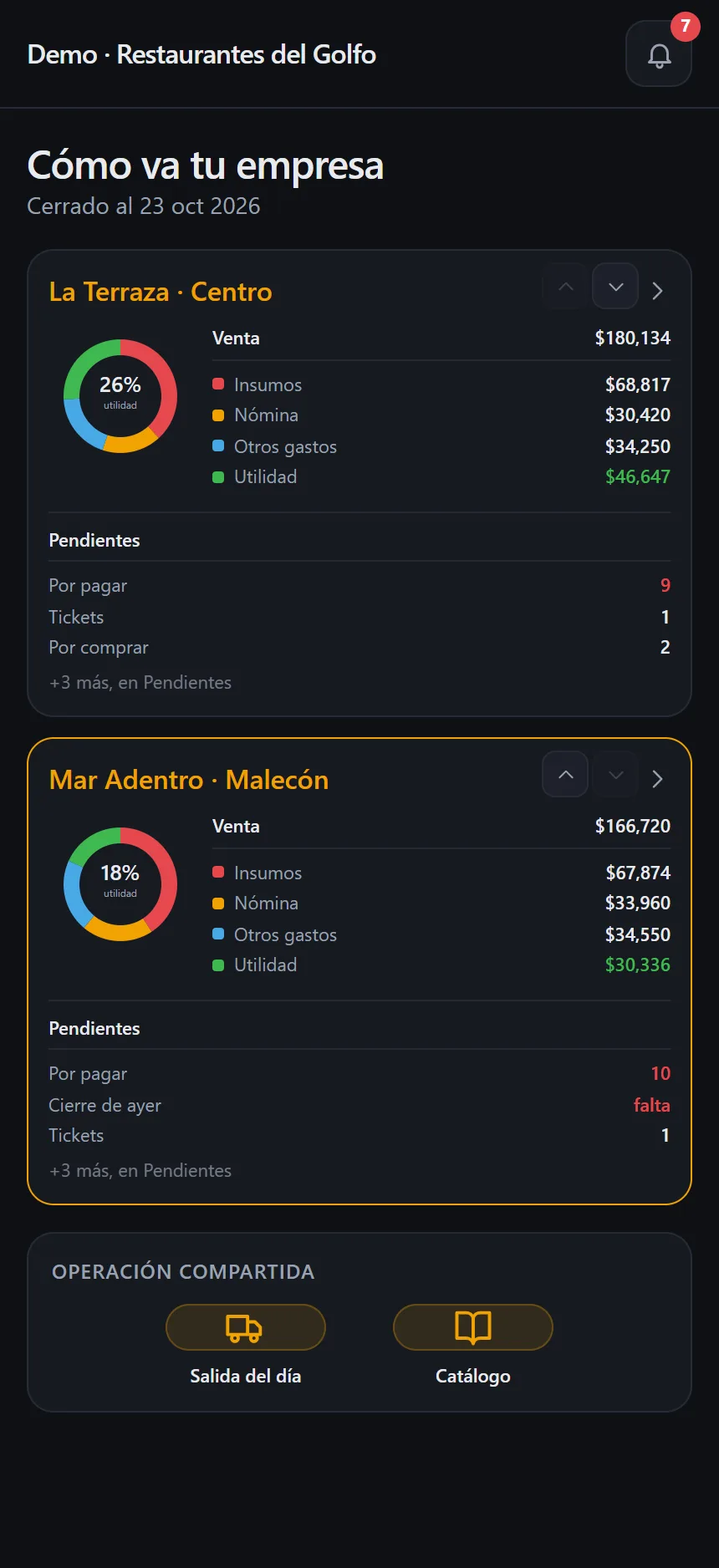
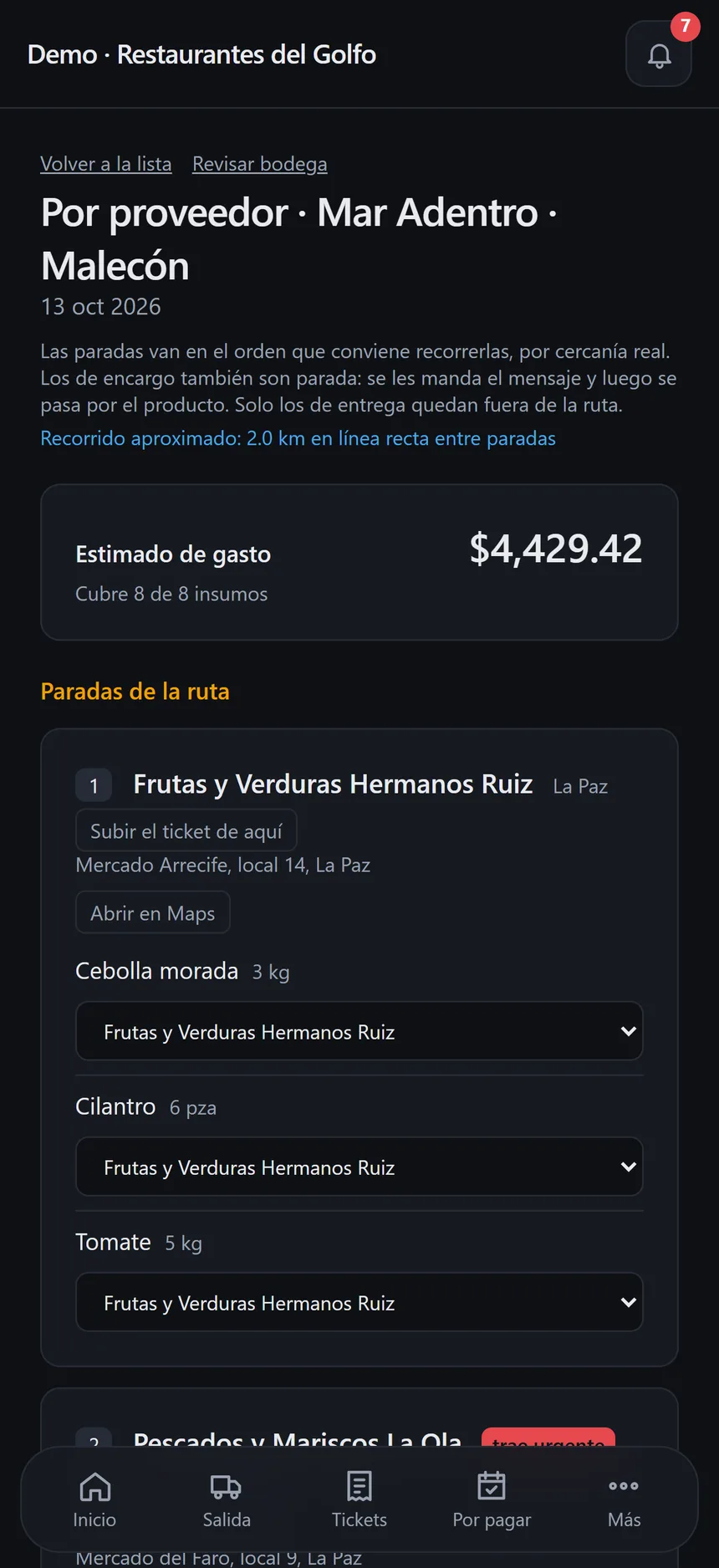
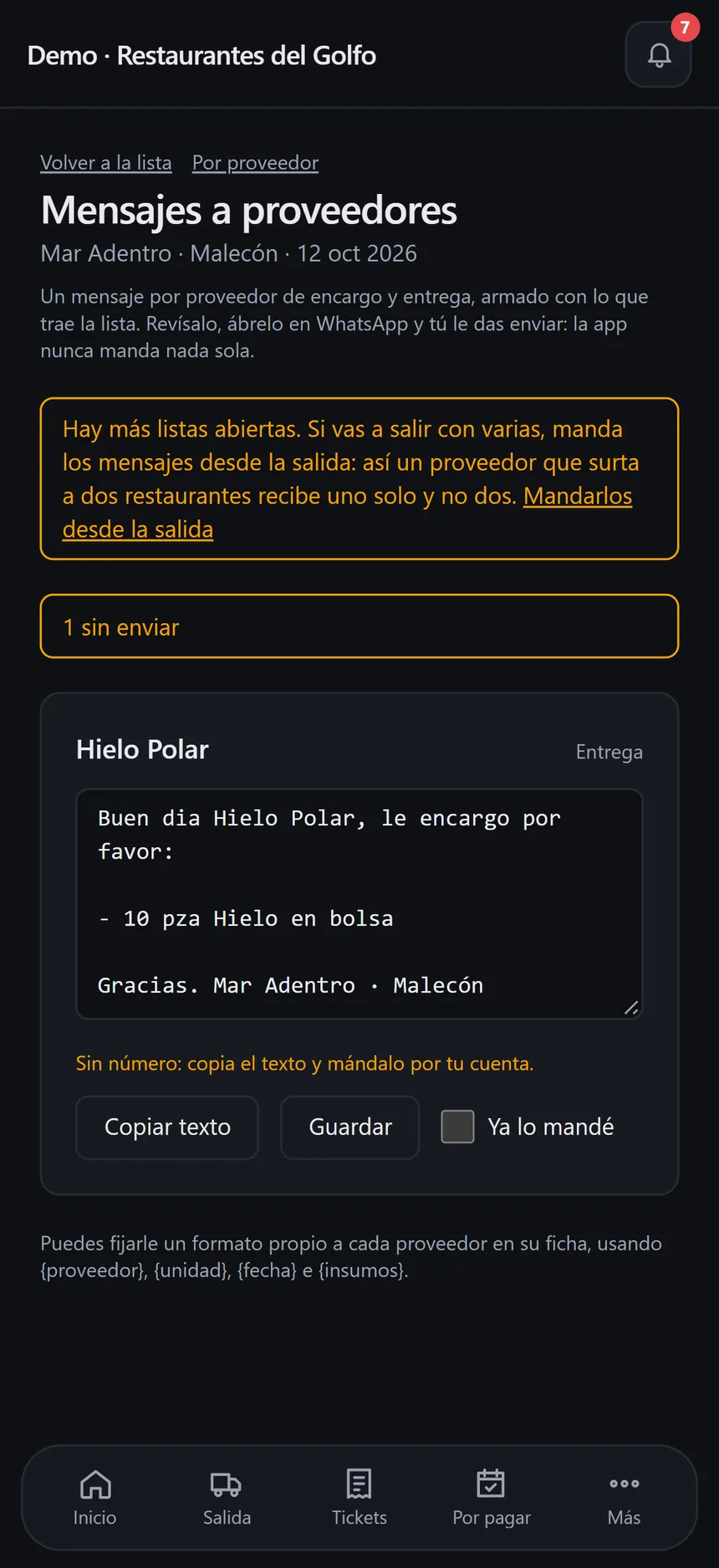
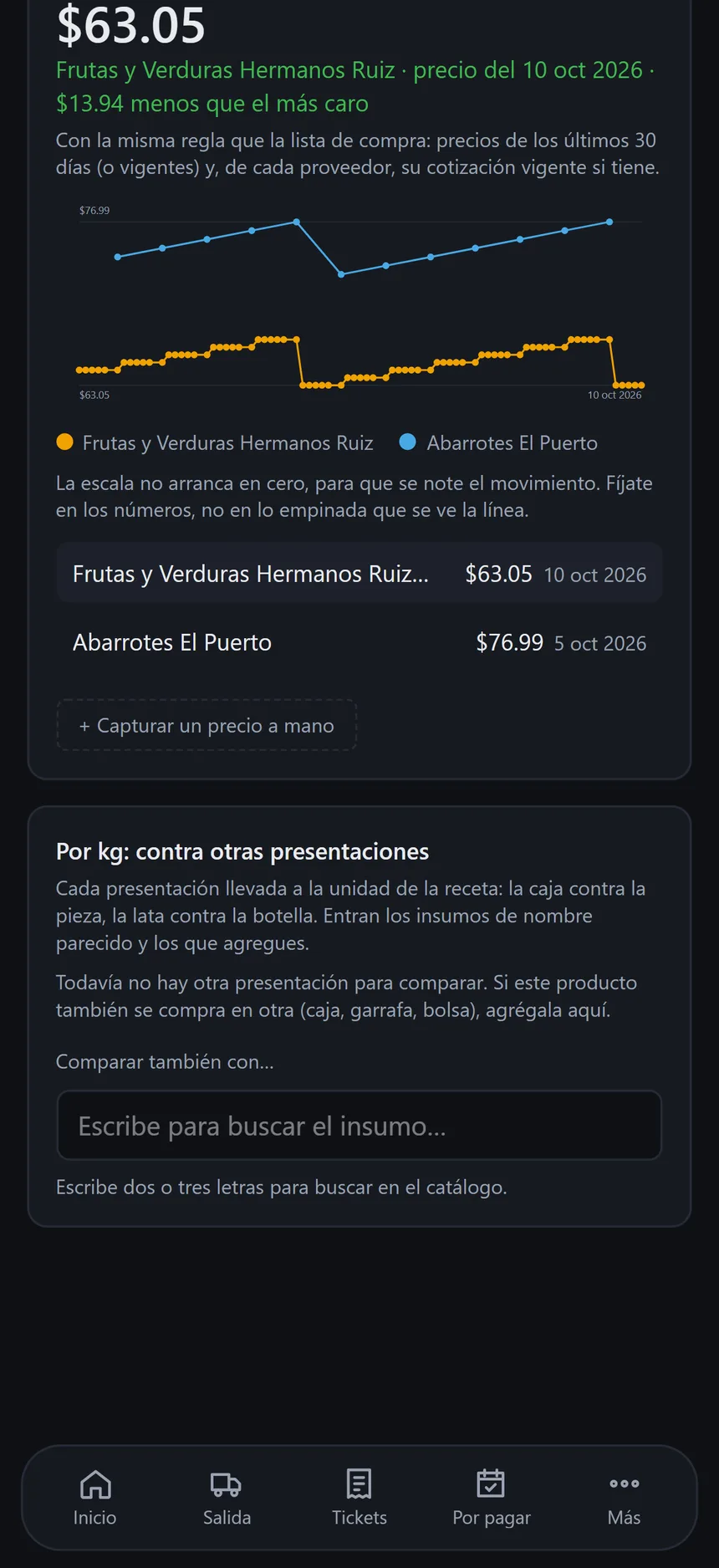
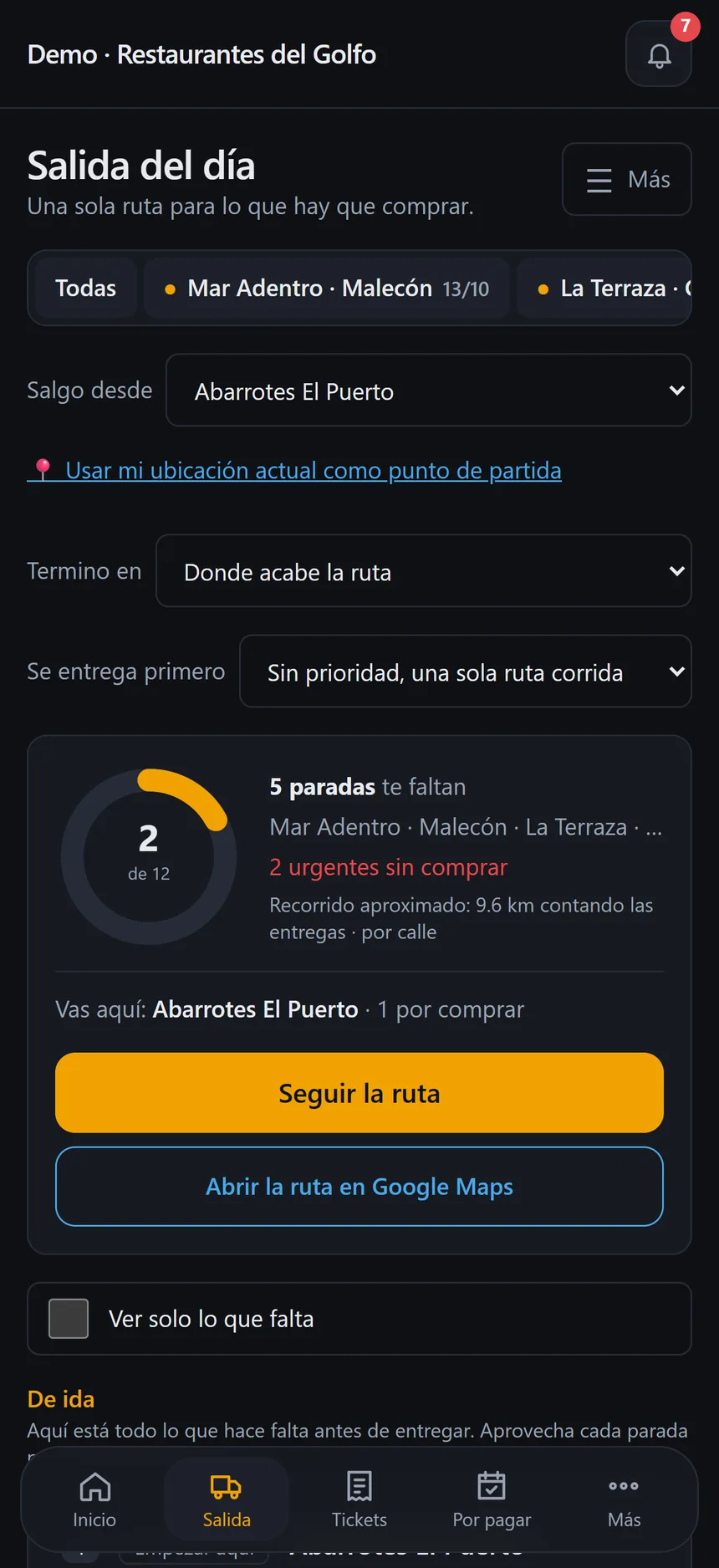

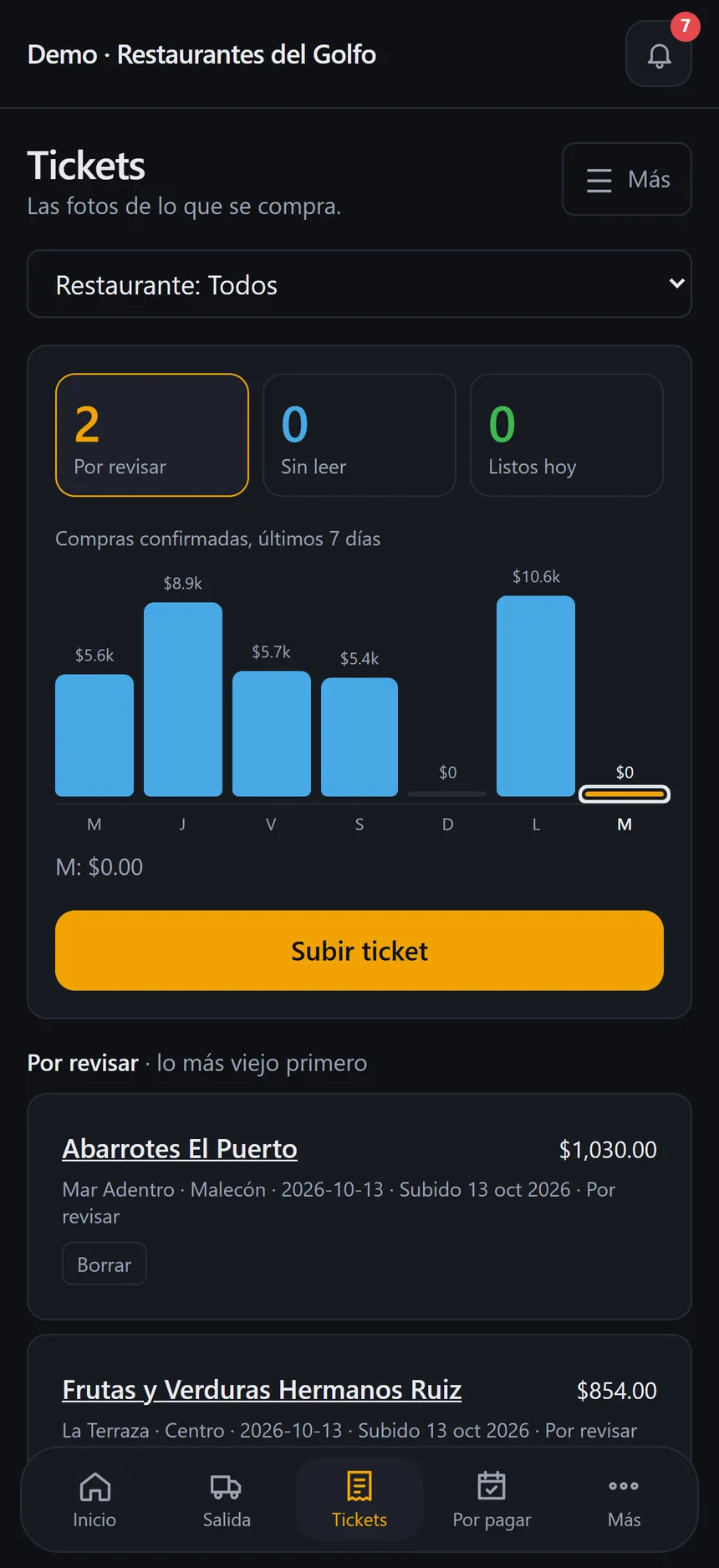
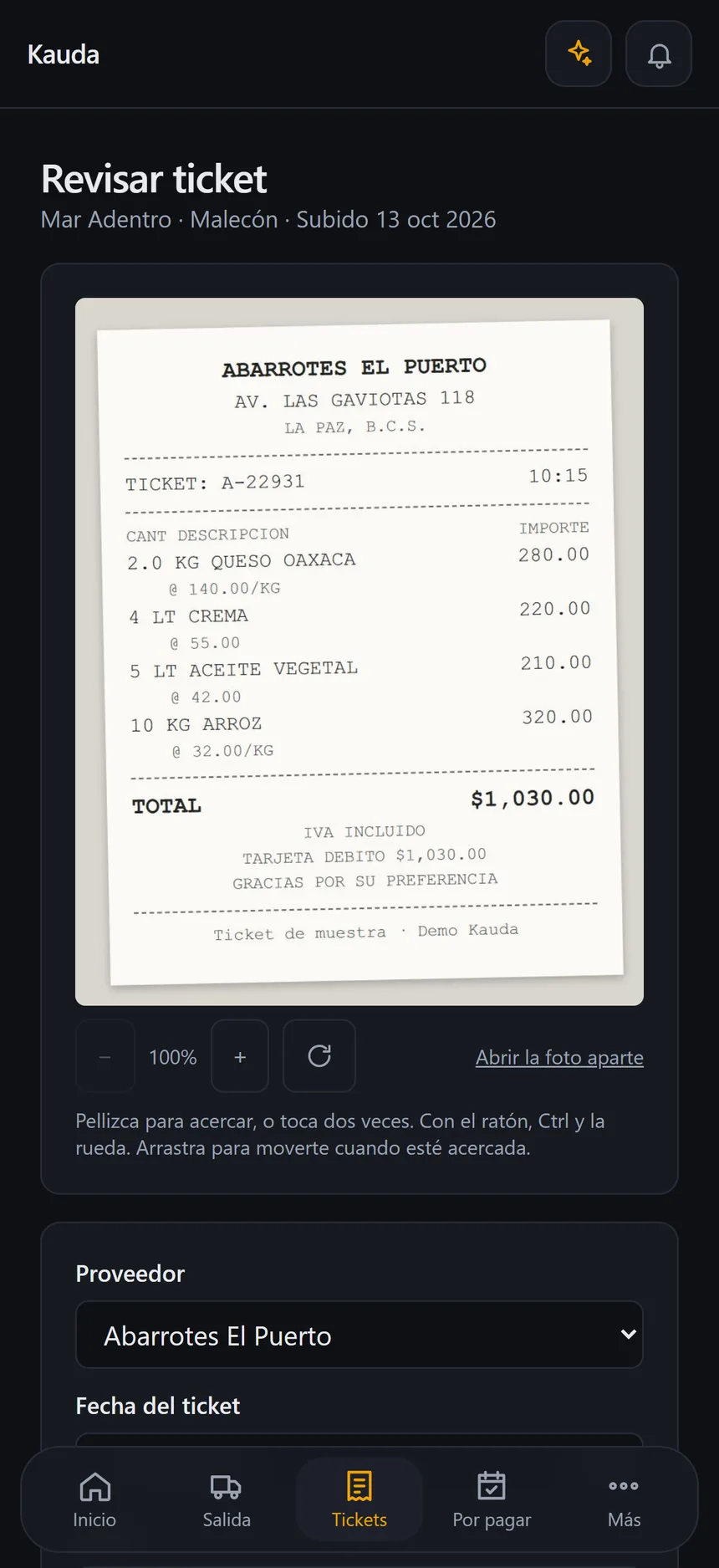
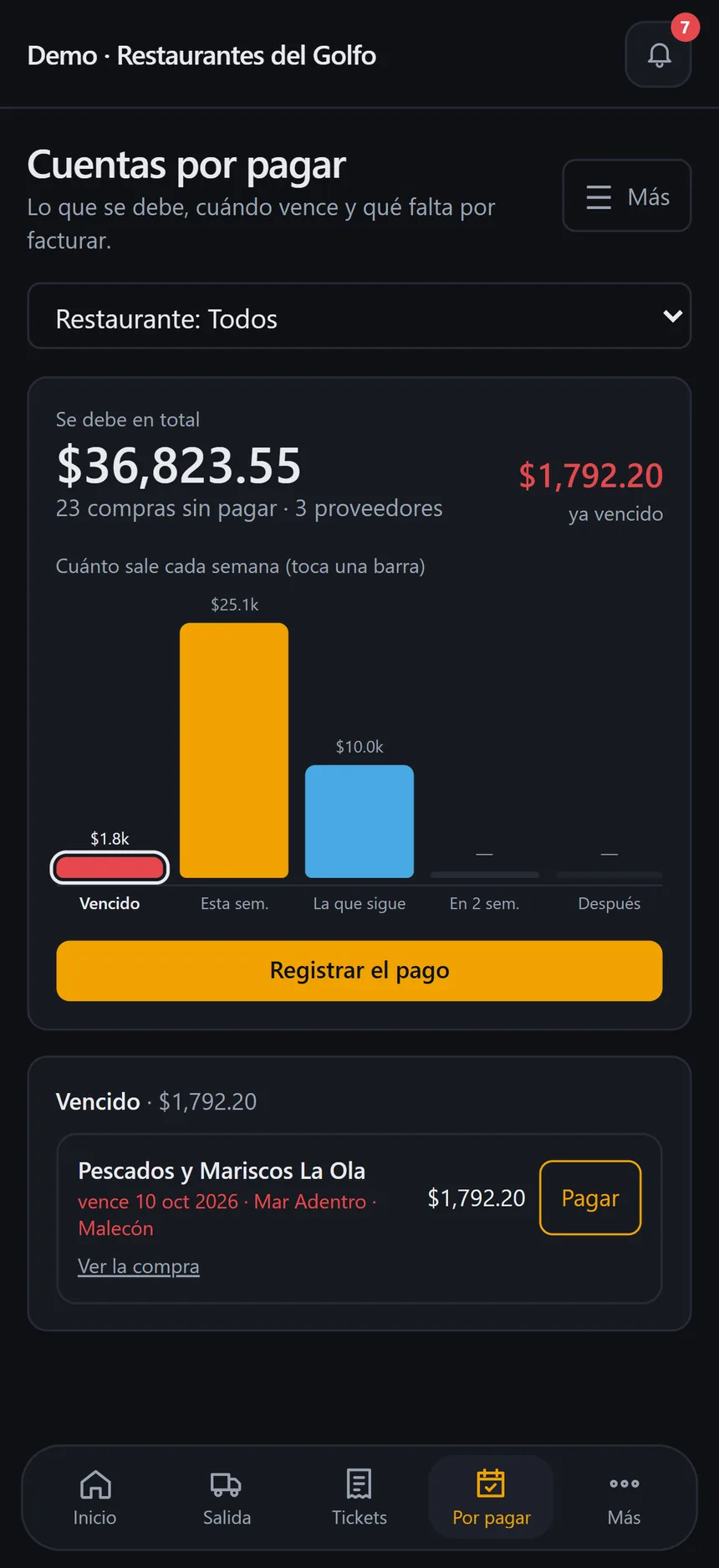
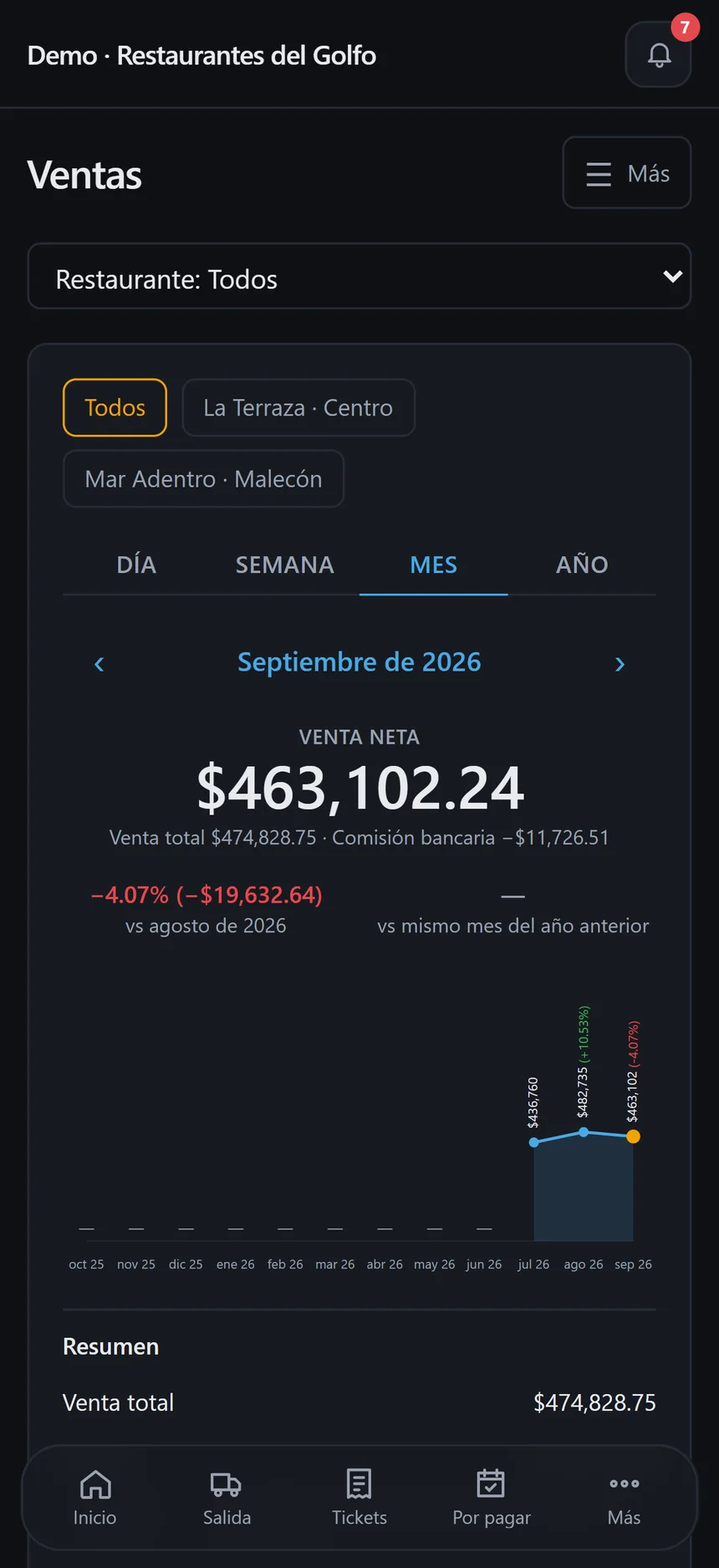
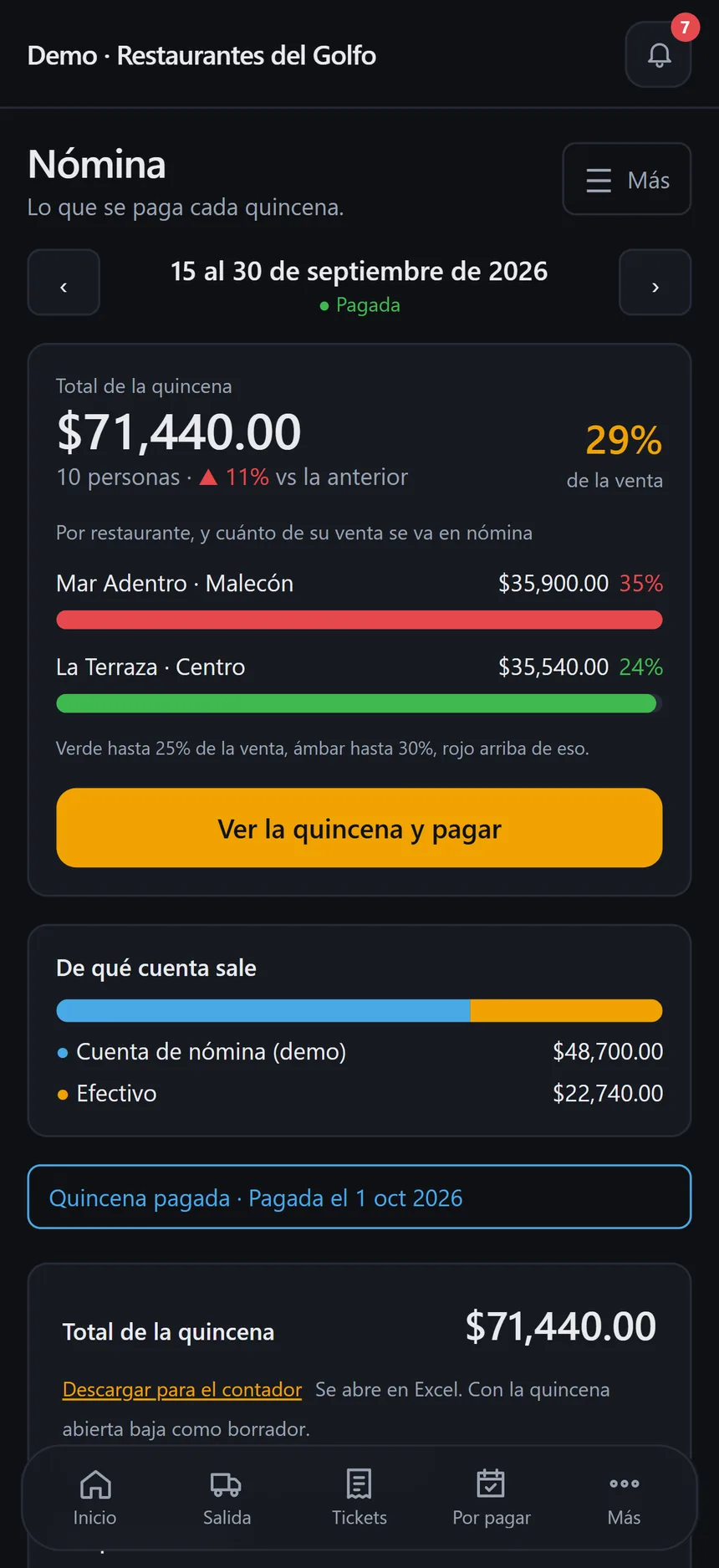
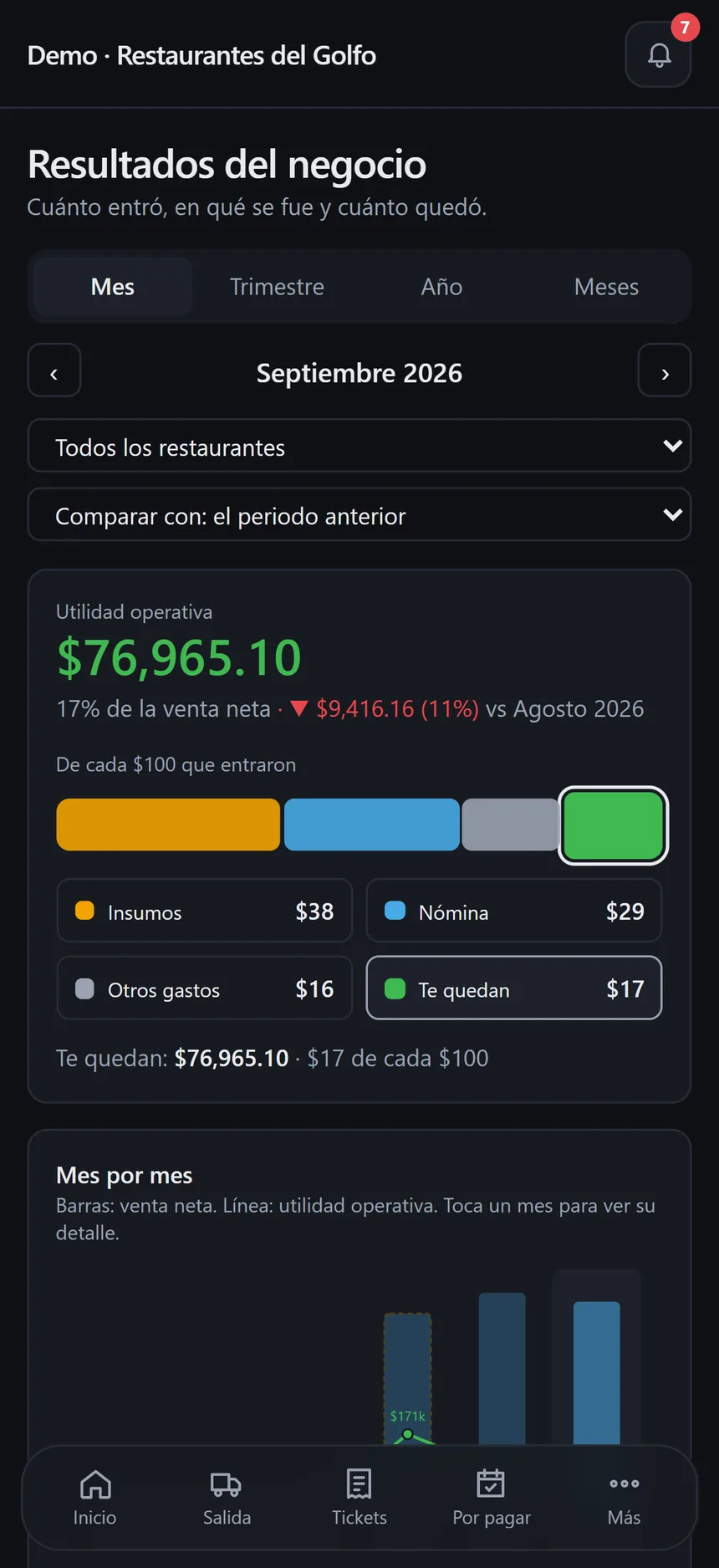
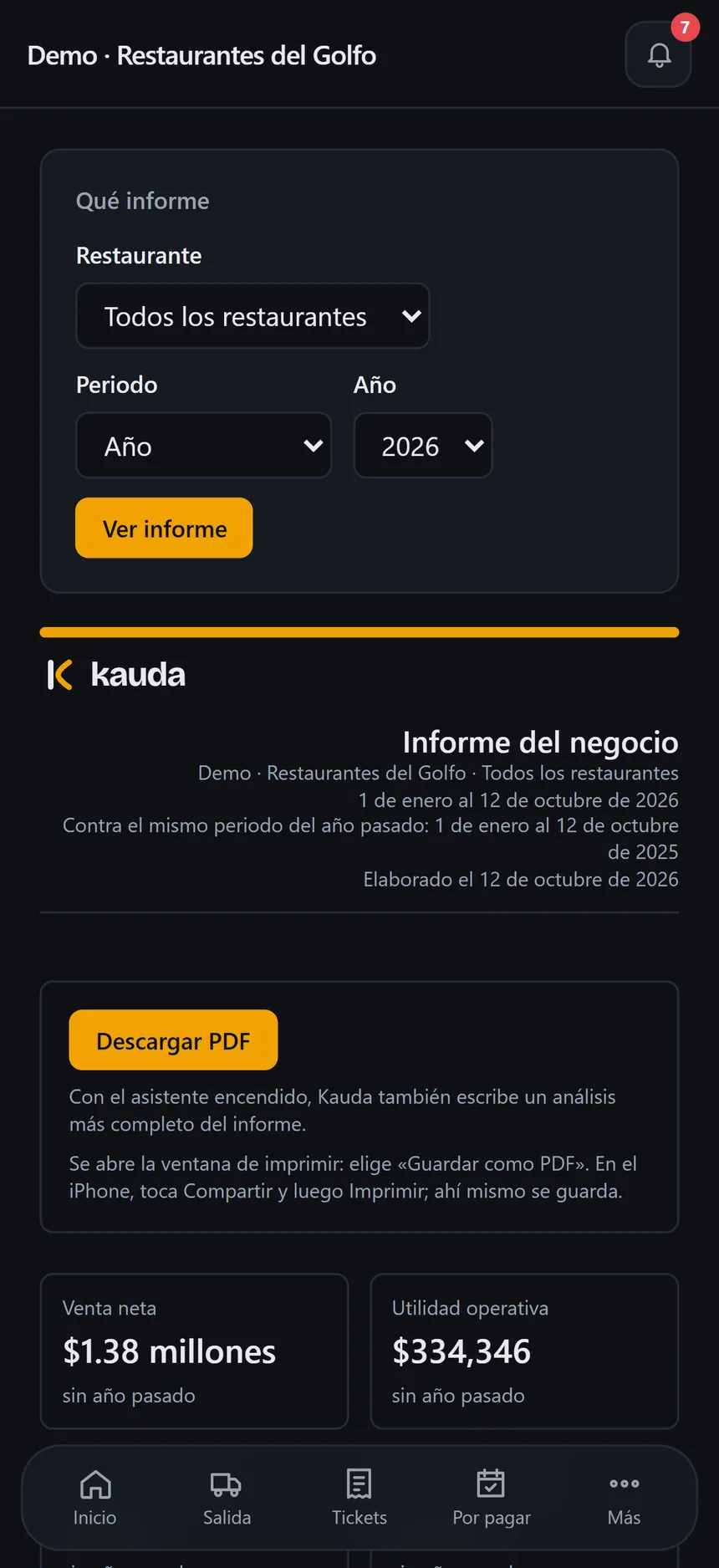
Step 1 of 11: Your company. How are your businesses doing?. Demo data.
What is Kauda?
Its name comes from “caudal,” Spanish for “flow.”
Kauda is a web application that was born in a buyer's van, to digitize the receipts that piled up every day and to centralize expense control across several businesses. The drive to do that job better and to provide the best service led to integrating artificial intelligence and solving other tasks, until it became a comprehensive platform.
Kauda now securely records the history of your numbers and of each of your businesses, year after year. You can analyze them in the moment and in retrospect, and make decisions based on your own records. Each business has its own workspace, with its users and its results, on a shared catalog.
Kauda is designed to make the most of your time: the time you now lose to cumbersome processes that keep you from continuing to scale your business. Over time, as you implement it, you will discover how it becomes one of your essential tools for making better decisions, so you can put your effort and creativity into the tasks that demand the most of you as an entrepreneur.
A platform in constant improvement and growth, adding features born from daily operations and from our clients' feedback. At Kauda, our strategy starts with your opinion: in the app’s Help section you will find the “Reportar un problema” (report a problem) option, which reaches the administrator and the Kauda team instantly.
Identified problems and how Kauda solves them
Leaks, small hidden expenses, unexpected costs, data-entry errors and steps that are hard to centralize in a routine operating flow.
Each one has its answer in Kauda, which was born solving the purchasing of a group of restaurants and now connects payments, sales, payroll and results.
Expired quotes
With Kauda: A profile for each supplier and a reminder before each quote expires.
Price increases
With Kauda: Flags when an item rises more than 15% above its average with that supplier (adjustable).
Travel and fuel
With Kauda: Purchasing logistics: a single route for all your businesses.
Scattered orders
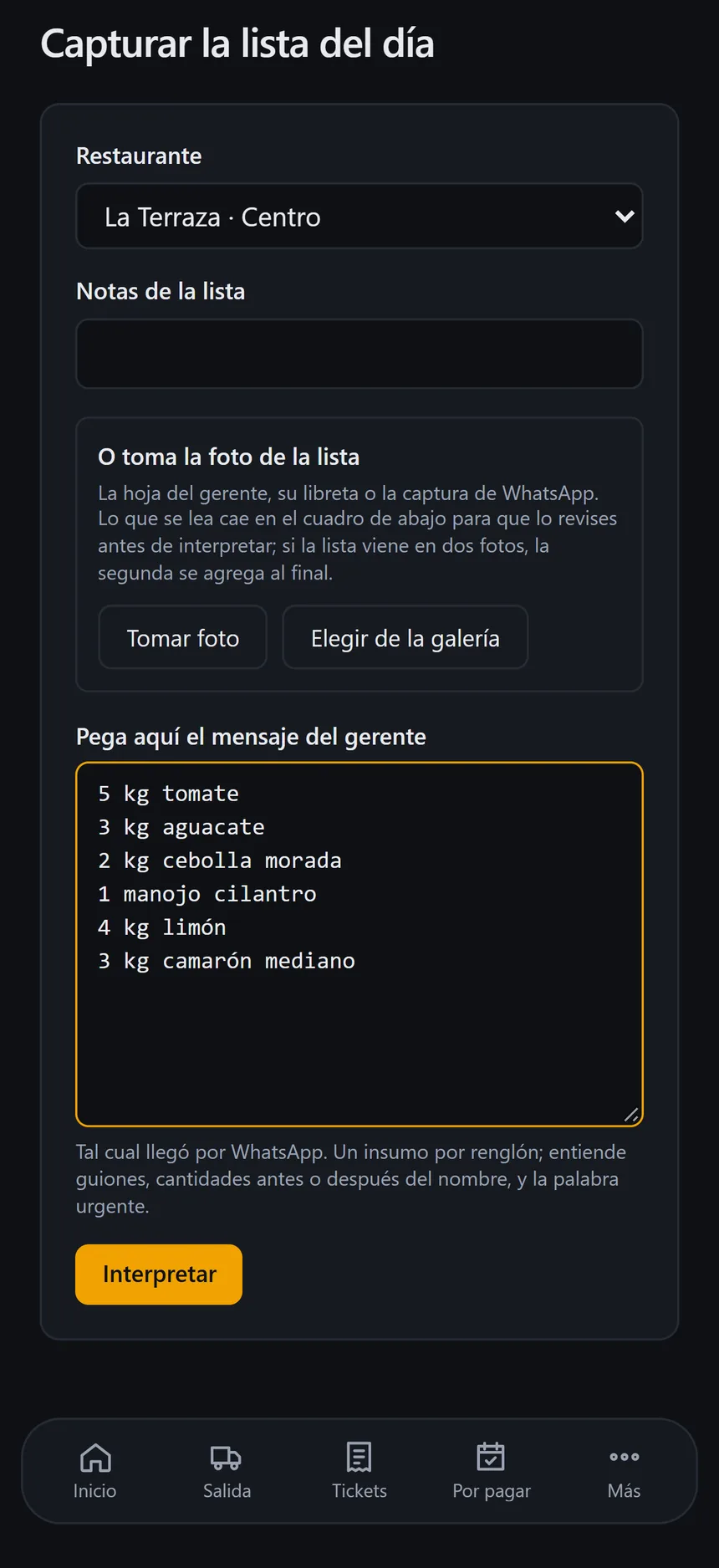
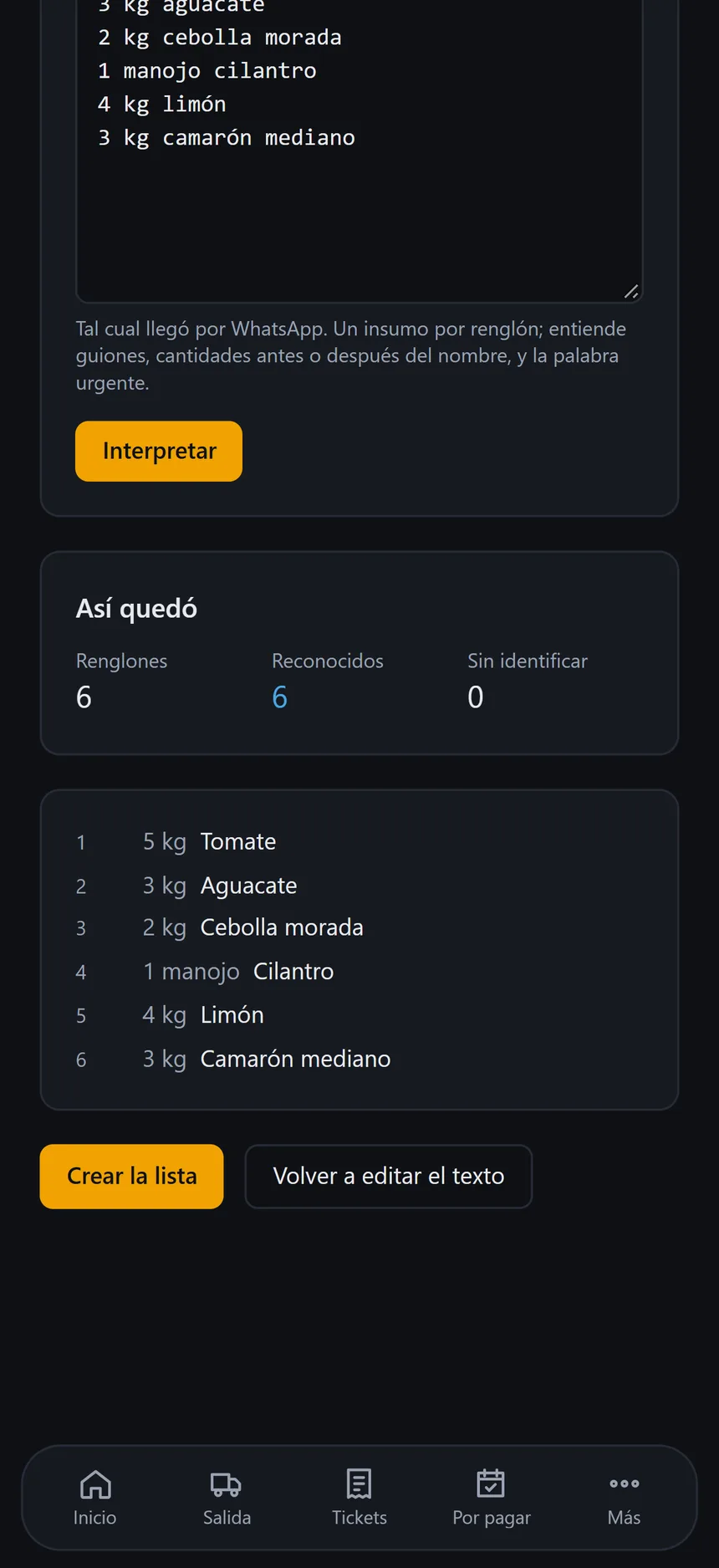
With Kauda: Lists by supplier, from the message or the photo.
Unchecked receipts
With Kauda: Digitized with AI and confirmed by a person.
Unexpected expenses
With Kauda: Every expense and withdrawal recorded, with its source account.
Forgotten payments
With Kauda: Due dates by week and a reminder before each payment.
Manual payroll
With Kauda: Each business's biweekly payroll, based on attendance.
Financial health
With Kauda: Profit by business and a monthly PDF report.
Scattered data
With Kauda: History and traceability, with questions to your AI assistant.
How does a system designed to centralize operations work?
From your office, your home or the gym first thing in the morning, with Kauda you can check in real time how your business operations are running, and at the end of each month you can carry out a detailed analysis of your numbers, reports and historical backup of your data, which will show you where to direct your attention to move up to the next level.
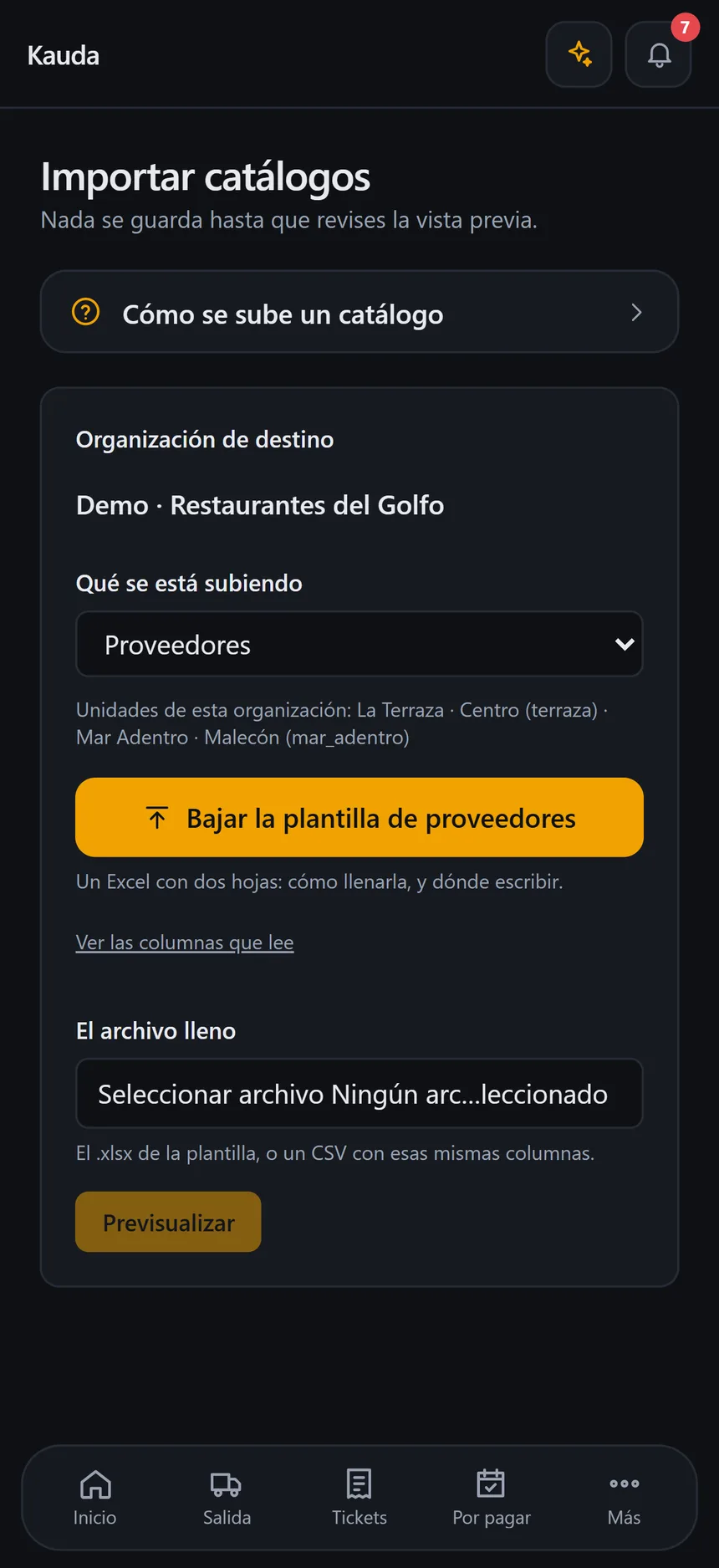
CatalogsYour supplies and suppliers come in from an Excel template; nothing is saved without a preview.
An Excel template with item, category, unit and supplier moves into Kauda's preview. Six lines, six new, none with errors; then the import is confirmed. Demo data. The Kauda interface is in Spanish.
Demo data · The Kauda interface is in Spanish.
Demo data · The Kauda interface is in Spanish.
Your AI assistantOptional add-on
In your administrator account you have an assistant that instantly answers what you don't remember day to day: the price of an item and its unit, which supplier you buy it from or which ones give you credit, or how to do something in the app. It answers only with your own organization's information.
Your team, inside Kauda
Depending on your quote (your purchasing volume and number of businesses), you can add several users to delegate the work: managers, buyers and cashiers, each with what their role needs. That way Kauda reaches every area of your company.
Security and protection of your data
An app in the cloud
Kauda is a web app: your information lives on enterprise-grade servers, not on your phone or your computer.
You sign in with your username
From your phone's or computer's browser, with your username, password and PIN.
Protected at every login
Each company has its own separate space and each person sees only what their role allows.
Encrypted connection
All information travels protected, just like in online banking.
Each company in its own space
The separation is enforced by the database: no company sees another's information.
Everyone sees what they need
Five roles with defined permissions; the cashier doesn't see salaries. Revoking access is immediate.
Lock on your phone
PIN, Face ID or fingerprint, at most two devices per person; three failed attempts end the session.
Encrypted passwords
No one can read them: they are not recovered, they are reset.
Private documents
Receipts, cash reports and proofs of payment in private storage, with temporary links.
AI, with safeguards
Kauda's artificial intelligence doesn't roam freely through your information: it can only run predefined queries, always within your organization and with the same permissions as your user. It can't modify your data or query anything outside those functions. To read a receipt it receives only the image you upload, and a person confirms everything it reads.
Kauda's access to your account
We set up your account with you
During implementation, our team prepares it alongside you.
Once it's handed over, access is closed
The access we use to set it up is closed as soon as the account is in your hands.
Only with your authorization
If you need support, you authorize it from the app for a limited time, and every change is recorded in a log you can review.
Your backup, whenever you want
- The administrator downloads all the business's information in files that open in Excel, plus the receipt photos by month.
- You don't need Kauda to view them, and the app reminds you if a week has gone by without downloading your backup.
- Your information is not sold or used for any other purpose.
Scope and responsibility
Kauda is a support tool for the operational control of your business: it organizes, calculates and alerts you based on the information that you and your team record in it. It does not connect to tax authorities or to your bank, does not issue invoices or tax returns, and does not replace accounting, tax or legal advice. The accuracy of the information you record and compliance with your obligations are your company's responsibility. Terms of use and privacy are agreed with you when you sign up.
Who is Kauda for?
Purchasing managers
For those who do the purchasing for one or several businesses and want centralized, traceable control of expenses: digitize large volumes of receipts, organize lists and rely on route logistics to supply one or more businesses in a single trip.
Entrepreneurs and business owners
For those who own one or more businesses and, even with a point of sale or an ERP, still have processes they can optimize to reach greater efficiency. If they have buyers, they see the route's progress and the digitized receipts as they are recorded. Kauda connects those processes and balances control of the operation.
Groups with several locations
For those who have several businesses or locations: each one has its own workspace, with no mixed-up information, for a cleaner analysis of each business, while they share a common catalog and a single purchasing route.
Your quote is built around your operation
No fixed plans: Kauda is customizable. In the first meeting we review with you the modules you need; afterwards we help you fill in your catalogs.
- Number of businesses or locations
- Users on your team
- Modules you turn on
- Volume of receipts and purchases
- AI assistant (optional)
- Support during setup
Questions before you decide
What Kauda does, what it doesn't do and what it needs.
About Kauda
Does it work with my point of sale?
Yes, with any system that produces a daily closing report: Kauda complements it, it doesn't replace it. Your point of sale keeps taking payments; Kauda takes the report, by photo or by hand, and brings it together with purchases, expenses and payroll. Depending on the system you use, the report's PDF can be read exactly and your full sales history imported.
What doesn't Kauda do?
It is not a point of sale or an ERP: it does not take payments, does not issue invoices or tax returns and does not connect to tax authorities or your bank. It is an internal control tool: it prepares the information and the payroll file so your accountant can work with organized data, without replacing them.
Can I use it on my phone and my computer?
Yes. Kauda runs in the browser on your phone or computer, with nothing to install, and on your phone you can add it to the home screen to open it like an app. An internet connection is needed to save.
How do I get help if something isn't working?
In the app's Help section, anyone on your team can use “Reportar un problema” (report a problem): they say where and what happened, and your company's administrators and the Kauda team are notified instantly. For anything else about Kauda, message us on WhatsApp at +52 612 202 3262.
Setup and cost
How does the free first month work?
You message us on WhatsApp, we get to know your operation in a first meeting, send you a quote tailored to you and set up Kauda with you. During your trial month you pay nothing, not even for implementation; if you decide to continue, a one-time implementation fee is added to your first monthly payment.
How much does Kauda cost?
It is quoted to fit you: it depends on how many businesses and users you have and on the modules you need. During your trial month you pay nothing, not even for implementation; if you decide to continue, a one-time implementation fee is added to your first monthly payment.
What do I need to get started?
The information you already have is enough, even if today it exists only in messages or on the shopping list. The Kauda team sets up your account with you and gathers your business information (suppliers, supplies, staff and other catalogs) from templates we share with you; the app points out what still needs to be completed.
What does implementation look like?
We guide you step by step: a first meeting to get to know your operation, a quote tailored to you, the integration of your business information and going live with your team. Timing depends on each operation and we agree on it with you.
Data and security
Is my information secure?
Yes. It lives on enterprise-grade servers, separated from every other company's. Kauda sets up your account with you and, once it is handed over, its access is closed: from then on it only enters if you authorize it from the app, and every change is logged.
Who on my team sees what?
Each person signs in with their own username, password and PIN, and sees only what their role allows and the businesses assigned to them. That way you delegate to managers, buyers and cashiers, each with what their role needs.
Can I download my information?
Yes. The administrator downloads, whenever they want, all the business's information in files that open in Excel, plus the photos of the receipts by month. You don't need Kauda to view them; your data belongs to you.
Can AI receipt reading make mistakes?
Yes, which is why it checks its own sums, flags anything doubtful and never records anything on its own. A person reviews the image alongside the data and confirms; until then, the receipt does not count.
Have another question?
Implementation
Find out if Kauda is the tool your company needs
You decide, from your own experience, whether Kauda helps you scale your business and reach your goals.
- 1
Step 1: First meeting
We get to know your operation and your needs, and identify the processes that are not yet centralized in your daily operating flow.
- 2
Step 2: Tailored quote
Based on the modules you need, we send you a quote tailored to you and agree on the terms. During your trial month you pay nothing, not even for implementation; if you decide to continue, a one-time implementation fee is added to your first monthly payment.
- 3
Step 3: Integrating your information
Together we gather your business information (suppliers, supplies, staff and other catalogs) using templates we share with you. With it we build your foundation so that Kauda is fully implemented.
- 4
Step 4: Going live
Your team starts with purchasing and receipts; then cash closing, payments and the first payroll period are added.
- 5
Step 5: Your first month-end close
You generate the results report for each business and assess, with your own numbers, how your operation is progressing.
Like any new tool, Kauda delivers more when your team adopts it from day one; during the first month we support you so it becomes part of their routine.
Directly with the person who built Kauda.